
What Cloud DMA Does for Aion 2 Cheats and What It Requires
Traditional DMA means a card, a bridge and a second machine. This does not. A straight explanation of the Hyper-V approach, the requirements, and where it will not work.
DMA normally means direct memory access. In the cheat scene that has meant a physical card in a PCIe slot, a USB bridge, and a second computer to read the memory the card pulls. It works, it is expensive, and it is a lot of hardware to maintain for one game.
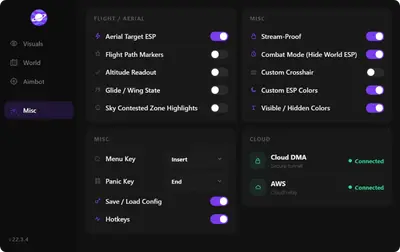
Cloud DMA takes the same idea and moves the environment into software. The installer provisions a Hyper-V layer on your own machine and finishes activation over an encrypted service link. One PC, no card, no bridge, no second tower on the desk.
Why the stack is built this way
Aion 2 runs NCGuard, which sits at kernel level. Memory-side features delivered from outside the game process survive patch cycles better than a straight injection, and a consistent layer means one set of updates instead of a dozen variations per Windows build.
It also makes support tractable. When something breaks, there is one known environment to fix rather than an unknown mix of hardware and drivers.
What Cloud DMA is not
It is not the cheat itself. Buying Cloud DMA alone gives you an environment with nothing drawing on screen. You need a game licence on top. See Aion 2 cheats for the module list that licence covers.
It is not a second PC requirement. If your setup already revolves around an external DMA box, this is a different architecture and you do not need to keep the box.
It is not a spoofer. Hardware ID work is a separate product with a separate job.
Requirements, plainly
- Windows 10 or 11, 64-bit
- HVCI on, Core Isolation on, TPM on, Secure Boot on
- CPU virtualisation enabled in firmware
- The Hyper-V role enabled during guided setup
- Windows Pro, Enterprise or Education recommended
- Minimum 8 GB RAM, 16 GB preferred
- Stable broadband for activation and the ongoing service link
- Administrator rights
GREENWARD, Static Server and AWS are separate purchases and all three are required. Static Server and AWS are different products, so read the notes rather than assuming one covers the other.
Where it will not work
A single PC setup is the whole design. If your rig depends on a physical DMA card and a second machine, this replaces that flow rather than layering onto it.
Machines with virtualisation locked out of BIOS are a problem. So are laptops with aggressive power management that suspends the service link mid-session, and Windows Home installs that have never had Hyper-V enabled. None of these are dealbreakers, but they all need sorting before purchase rather than during a raid.
Cost and duration
Cloud DMA is $50 as a lifetime purchase. It does not expire on a timer. Access stays tied to your account while the product is offered and the account is in good standing, and keys are personal so they cannot be shared.
Once it is active, every game licence on the account uses it. That makes the $50 a one-time platform cost rather than a per-game charge.
Is it worth it for Aion 2 alone
If Aion 2 is the only game you cheat in, the honest answer is that it is a chunk of money on top of the licence. It is also mandatory for full functionality, so the real question is whether you want the game enough.
If you already own other titles on the same stack, the cost spreads out fast and the argument gets easy. The same layer covers everything, and you are not buying it twice.
Add Cloud DMA with the licence, then follow the install guide so the Hyper-V layer is confirmed working before the loader is ever opened.